For engineers
A browser front end for HomeWorks QSX, on a dedicated appliance on the vessel network.
Decks, rooms, loads, scenes and RGBW strips from any phone, tablet or bridge display, with nothing installed on the device and no internet needed. Commands go straight to the processor, using Lutron's own integration protocol; levels stream back. Physical keypads keep working whether LUMA is there or not.
Architecture
What talks to what.
Vessel network · encryptedEncrypted link to the processorLutron wiring, independent of LUMA
| Security & network | |
|---|---|
| Access | Encrypted connection only, with a vessel-specific certificate installed once per device. |
| Lutron link | Lutron's own integration protocol, authorised with a login created in Designer — not a workaround or a scrape. |
| Network | Reachable only from the vessel's own network. Unreachable from outside it, by design. |
| Data | Vessel configuration and guest tokens are stored locally on the appliance. PINs and the Lutron login are encrypted at rest and never written to a plain file. |
Commissioning
Ten steps, in the order it happens.
- 01Install Run the installer. The background service and status tray are set up automatically and start on their own.bench
- 02Wizard Identity, network, the Lutron connection, access and engineer PINs, certificate, done.bench
- 03Test Connection A multi-point connection test confirms the link before you rely on it. A failure on the last check means the login is wrong in Designer or here.live
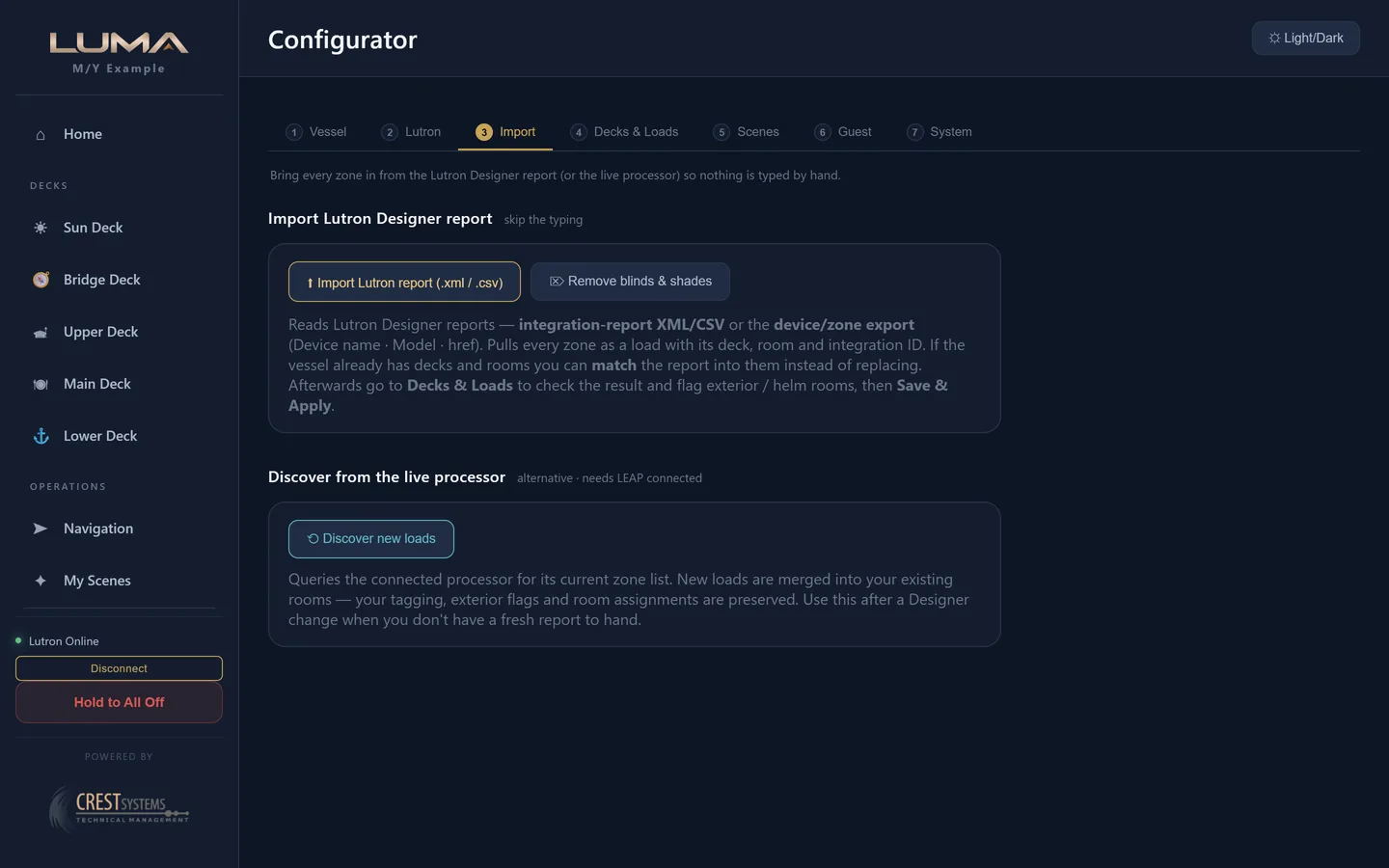
- 04Import Configurator step 3. The Integration Report from Designer. Every output's integration ID, name and area. Replace all on a fresh vessel; match to existing on a re-import, where known IDs are skipped.bench
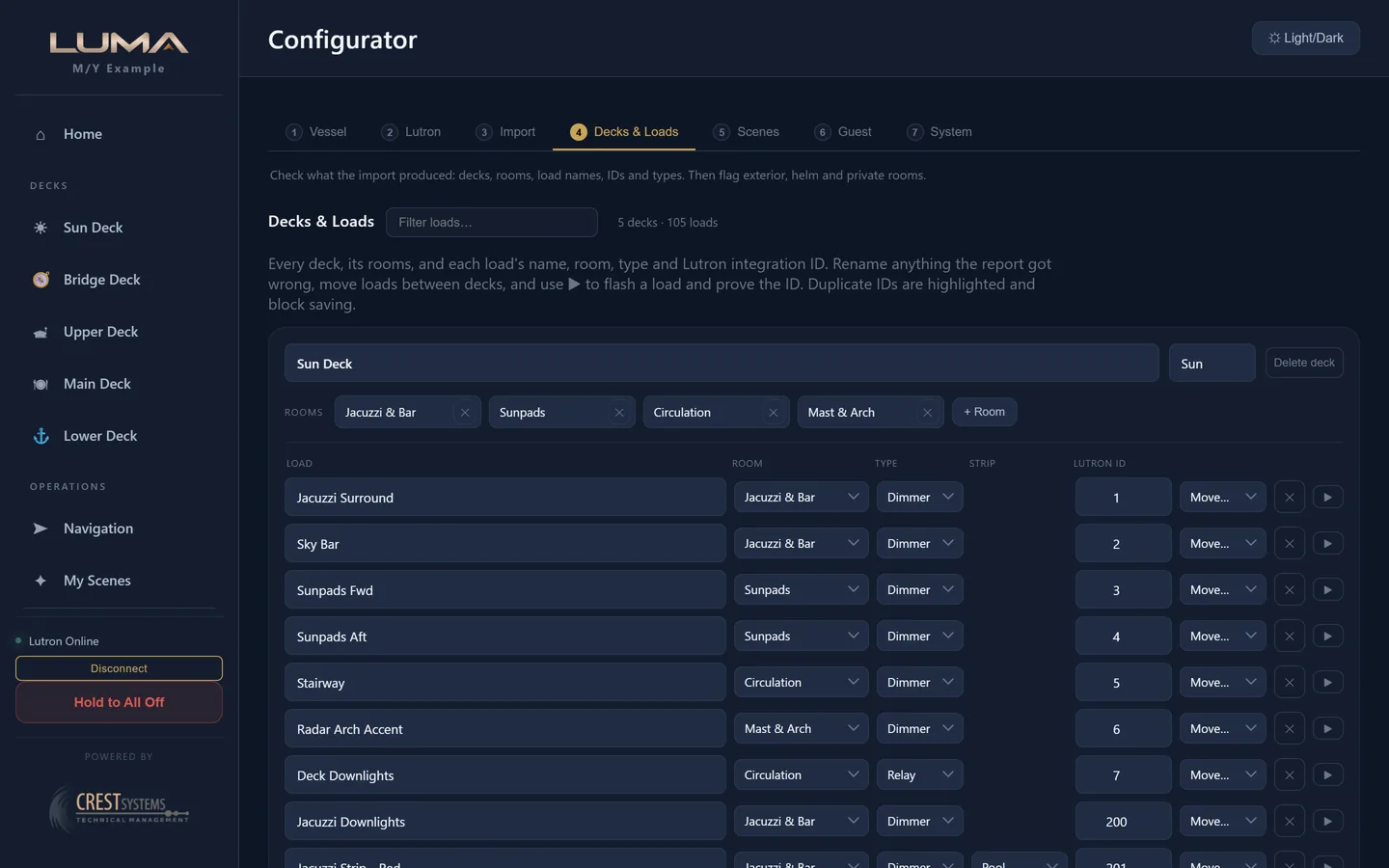
- 05Decks and loads Check what the import produced. Flag rooms Public (off for cabins and crew), Exterior, Helm. Test ▶ flashes a load to 50% to prove its ID. Duplicate IDs are shown in red and block saving.bench
- 06Scenes Refresh scenes from Lutron. Rooms are matched to areas by name (deck name breaks ties); the status line reports rooms mapped and lists anything ambiguous or unmatched. Rename one side so they agree, Save and Apply, refresh again.live
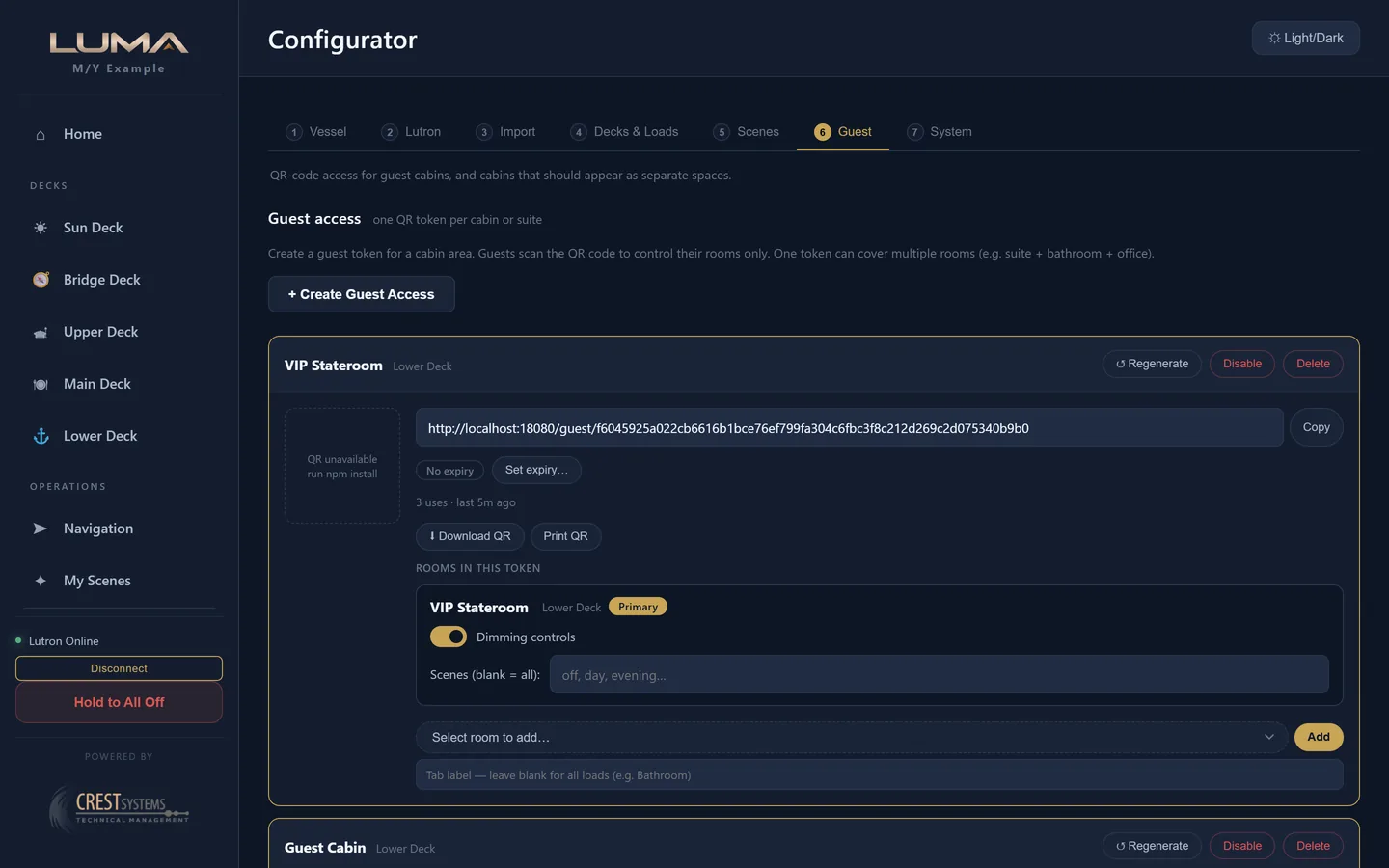
- 07Guest tokens One per cabin or suite. Expiry, enable, regenerate. Split a shared cabin into Bedroom and Bathroom.bench
- 08Devices iPad on the vessel network opens the appliance's address. Install the certificate once and the padlock shows.live
- 09Resilience Power cycle the processor: tray goes amber, then green within a minute, no touch needed. Reboot the appliance: service running and tray green within a minute of logon.live
- 10Backup Configurator → System → download a full backup. Every upgrade also writes a pre-upgrade backup before touching anything.sign-off
Two things you can run here
Same logic as on board.
Test Connection
wizard · step 3192.168.x.x
integrator-01
- ○Reachable
- ○Connection secure
- ○Authorised
Hold to All Off · vessel wide
deck gap 150 msSun Deck7 exterior
Bridge Deck5 exterior
Upper Deck6 exterior
Main Deck8 exterior
Lower Deck3 exterior
Private rooms (Master, VIP, Guest Cabin, Crew) are never included in a global operation.
Security, resilience, and what it does not do
Plain answers.
| Access | |
|---|---|
| Crew | Access PIN, 4 to 8 digits. Six wrong attempts locks for fifteen minutes. |
| Engineer | Separate engineer PIN for the Configurator. Lock again without reloading. |
| Guests | Per cabin token in the link, no PIN. Expiry, disable, regenerate. Can only reach their own rooms. |
| Credentials | PINs and the Lutron login are encrypted at rest, never written to a plain file. A reset tool clears them without touching the vessel layout. |
| Resilience | |
|---|---|
| Processor | Reboots: LUMA reconnects on its own, tray amber then green. |
| Appliance | Reboots: service comes back at boot, no PIN or Lutron re-entry. |
| Internet | Not used. Nothing changes when it goes. |
| Keypads | Wired to the processor. Work with LUMA off, on, or absent. |
| Upgrades | Upgrades back up your configuration automatically before replacing the software, then restart on their own. Config, PINs, tokens and logs are kept. |
What LUMA does not do
- It does not change your Lutron programming. Fade times, scenes and keypad logic stay in Designer.
- It does not need, or use, the internet. There is no cloud account, no telemetry, no analytics.
- It does not replace the keypads. It sits beside them.
- It is not endorsed by or affiliated with Lutron.
- Fleet monitoring and publicly trusted certificates are in development and not part of this release.
Contact
Send us the Designer report.
Send the Integration Report and we'll tell you if it's a clean import or what needs matching before you book a site visit.
james@crestsystems.co.uk